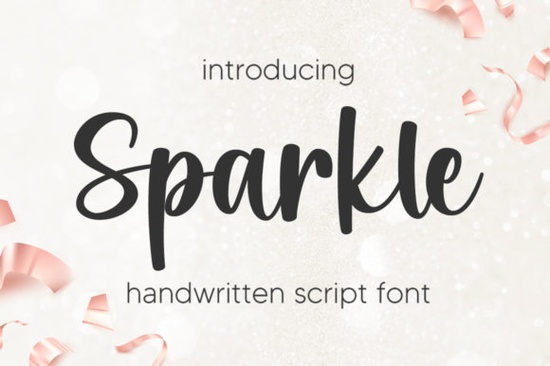
If you’ve been searching for a script font that feels both polished and personal, Sparkle Font might be exactly what your next project needs. It’s not flashy or overdone just a clean, elegant script with thoughtful alternates and ligatures that help your text flow naturally. Whether you’re designing wedding invites, branding materials, or printable quotes for Etsy, Sparkle adapts without losing its refined character.
What makes it especially useful is how well it pairs with other handwritten styles. For example, if you’ve used Snowlet for a softer, more casual look, Sparkle can step in when you need something a bit more formal but still warm. Or if you’re working on teacher-themed designs, try layering it with Amazing Teacher to add contrast while keeping the tone friendly and approachable.
How do I know if Sparkle Font will work for my project?
Sparkle works best when you want your text to feel intentional not stiff, but not sloppy either. Think boutique packaging, boutique logo mockups, or even engraved-style signage for small businesses. The alternates give you room to tweak letterforms so no two words look exactly alike, which helps avoid that “font-y” repetition that can make designs feel robotic.
- Wedding stationery Pair with minimal sans-serifs for balance.
- Print-on-demand products Mugs, totes, and journals benefit from its graceful curves.
- Social media quote graphics Especially effective over soft backgrounds or watercolor textures.
- Small business branding Adds personality without sacrificing professionalism.
If you’re already using Samantha Calligraphy, you’ll notice Sparkle has a tighter rhythm less bounce, more control. That doesn’t make it better or worse, just different. Knowing when to use each comes down to the mood you’re trying to create.
Can I use Sparkle Font for commercial projects?
Yes and that’s one of the reasons it’s popular among crafters and small shop owners. You’re allowed to use it on physical and digital products you sell, as long as you’re not redistributing the font file itself. Always double-check the license terms on Sparkle Font for any updates, but generally, Creative Fabrica’s commercial licenses are straightforward for indie creators.
One thing to note: if you’re creating rhinestone templates or heat transfer designs, Sparkle’s thin strokes may need slight thickening to hold up under production. In those cases, you might consider pairing it with something like RS01 Cursiva, which was built specifically for durability in craft cutting machines.
What file formats does it come in?
You’ll typically get OTF and TTF files, which work across most design software Adobe apps, Canva, Silhouette Studio, Cricut Design Space, and even basic word processors. If you’re unsure whether your program supports OpenType features (like automatic ligatures), test it out with a short phrase first. Sparkle’s charm really shows when those little connections between letters activate smoothly.
Pro tip: In programs like Illustrator or InDesign, turn on “Contextual Alternates” and “Ligatures” in your typography panel. You’ll see subtle improvements in how letters connect especially noticeable in words like “the,” “and,” or “love.”
Is Sparkle Font beginner-friendly?
Absolutely. Even if you’re new to script fonts, Sparkle doesn’t require heavy tweaking to look good. Start with simple phrases, avoid all-caps (scripts rarely shine in uppercase), and let the natural flow do the work. If a word looks awkward, try retyping it sometimes the alternates trigger differently on second pass.
For extra polish, combine it with a clean sans-serif like Montserrat or Lato. That contrast helps Sparkle stand out without competing for attention. And if you ever feel stuck, browse through user galleries on Creative Fabrica seeing how others use Sparkle Font can spark fresh ideas fast.
Quick checklist before you start:
- ✅ Install both OTF and TTF versions test which works better in your software.
- ✅ Enable OpenType features if your program allows it.
- ✅ Avoid tiny sizes scripts lose detail below 18pt in print.
- ✅ Pair with a simple secondary font to keep focus on your message.
- ✅ Save a backup of your original font files always helpful if you reinstall later.
Sparkle isn’t trying to be the loudest font in the room. It’s the quiet guest who shows up perfectly dressed and leaves everyone impressed. If that’s the vibe you’re going for, give it a try it might just become your go-to for projects that need a touch of class without the fuss.
Try It Free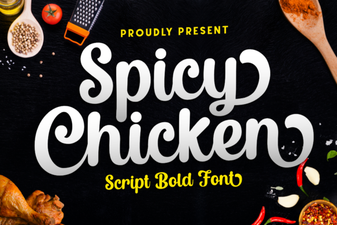 Spicy Chicken Font for Bold Design Projects
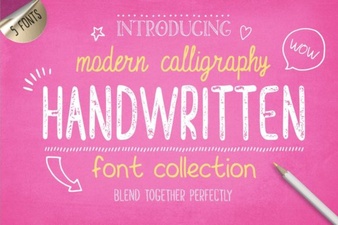 Handwriting Fonts for Creative Projects
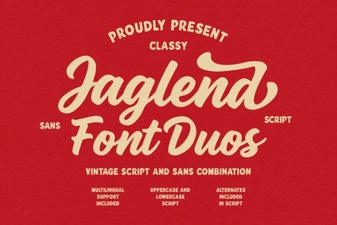 Jaglend Duo: Versatile Fonts for Creative Projects
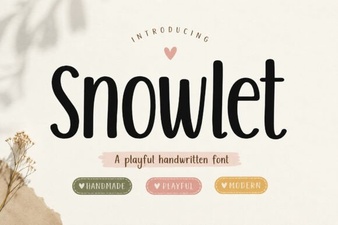 Snowlet Font: Creative Designs for Modern Projects
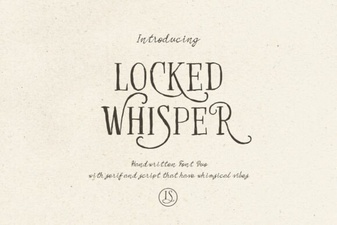 Locked Whisper Font: Creative Typography Ideas
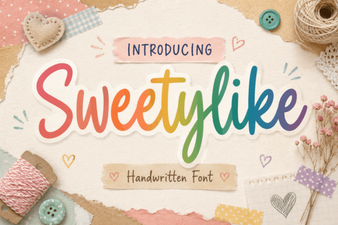 Crafting Sweet Designs with Sweetylike Font