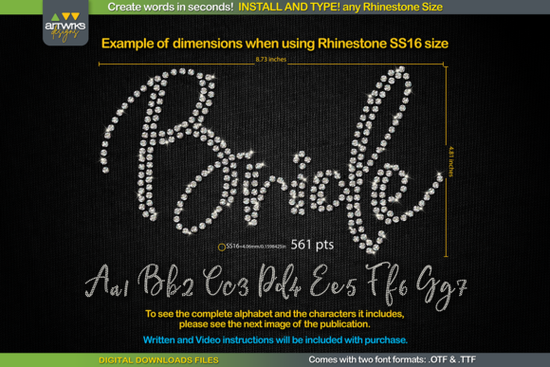
If you’ve ever tried adding rhinestone text to t-shirts, tote bags, or custom apparel, you know how tedious it can be to manually place each stone. That’s where the RS01 Cursiva Rhinestone Template TTF Font comes in a clever digital tool that turns any typed word into a ready-to-cut rhinestone layout. No more guessing spacing or sizing. Just install, type your word, and let the font do the heavy lifting.
This isn’t your average script font. It’s designed specifically for crafters who use heat transfer vinyl or rhinestones with machines like Cricut or Silhouette Cameo. Each letter is pre-filled with perfectly spaced “stone” placeholders meaning you skip the design phase and go straight to cutting. Whether you’re running a small Etsy shop or making personalized gifts for friends, this font saves serious time.
How does it actually work with my cutting machine?
The magic is in the structure. When you type with RS01 Cursiva, each character automatically arranges its internal “dots” to match common rhinestone sizes SS6, SS10, SS16, and SS20. You just scale the font to the recommended point size (listed in the instructions), and the spacing adjusts accordingly. For example:
- SS6 stones = 359 pt
- SS10 stones = 456 pt
- SS16 stones = 561 pt
- SS20 stones = 738 pt
One note: Cricut Design Space has recently changed how it handles scaling, so the exact sizes might not stick unless you lock the proportions. The included guide walks you through a quick fix usually just a matter of ungrouping or converting to outlines before resizing.
What software and devices support this font?
You’re covered across platforms. The download includes both .TTF and .OTF formats, so whether you’re on Windows, Mac, iPad, or iPhone, installation is straightforward. Works seamlessly with:
- Cricut Design Space
- Silhouette Studio
- Inkscape
- Adobe Illustrator
Just unzip the file, install the font like any other system font, then select it from your design program’s font menu. Type your phrase, adjust the size based on your stone choice, and you’re ready to cut.
Can I use this for commercial projects?
Yes personal and commercial use are both allowed. That means you can create designs for your own wear, client orders, or even mass-produce items to sell online. There’s no need to credit the designer, though a shoutout never hurts if you’re feeling generous.
If you’re already using fonts like Handwritten Font Collection or Spicy Chicken for your vinyl projects, think of RS01 Cursiva as the specialized cousin that handles bling. Pair it with clean sans-serifs like Montserrat for contrast, or layer it under elegant scripts like Samantha Calligraphy for a luxe combo.
And if sparkle is your thing, don’t miss Sparkle Font another gem for adding instant glam without manual placement.
Any tips for first-time users?
A few things to keep in mind:
- Stick to uppercase or lowercase consistently. Mixing cases might break the stone alignment in some letters.
- Always check your stone size against the point size chart. Even a small deviation can cause gaps or overlaps when applying stones.
- Test cut on scrap material first. Especially if you’re using new vinyl or unfamiliar transfer tape.
- Use weeding tools with fine tips. These fonts pack stones tightly patience pays off during cleanup.
Also worth noting: This font only includes characters shown in the product preview. No special symbols or extended glyphs just A-Z, a-z, and basic punctuation. If you need numerals or accents, double-check the sample images before purchasing.
For reference, you can explore similar options at RS01 Cursiva.
Who’s this font best for?
Ideal if you:
- Run a small business selling custom rhinestone apparel
- Make gifts for dance teams, cheer squads, or bridal parties
- Want to speed up your workflow without learning complex design software
- Prefer typing over dragging and dropping hundreds of individual stones
It’s not meant for body text or long paragraphs this is strictly a headline and logo tool. But for what it does? It does it well.
Next step: Download the font, install it, open your favorite design app, and type a test word like “GLAM” or “TEAM.” Scale it to 456 pt for SS10 stones, then send it to your cutter. In under five minutes, you’ll have a perfectly spaced rhinestone template ready to press. No stress, no math just results.
Download Now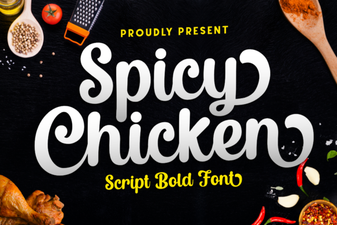 Spicy Chicken Font for Bold Design Projects
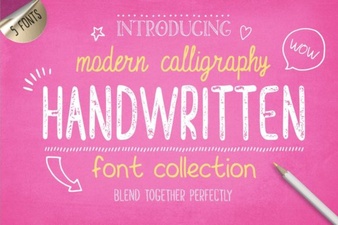 Handwriting Fonts for Creative Projects
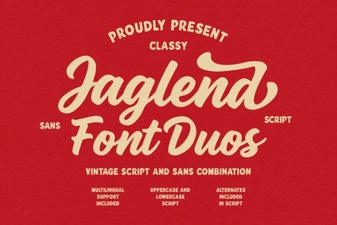 Jaglend Duo: Versatile Fonts for Creative Projects
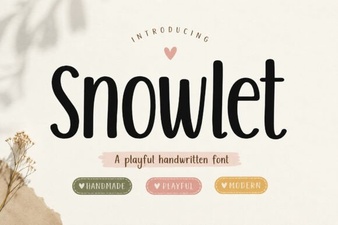 Snowlet Font: Creative Designs for Modern Projects
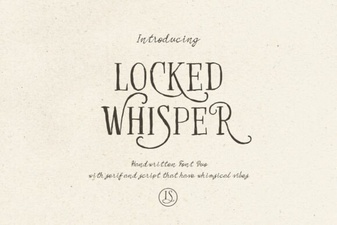 Locked Whisper Font: Creative Typography Ideas
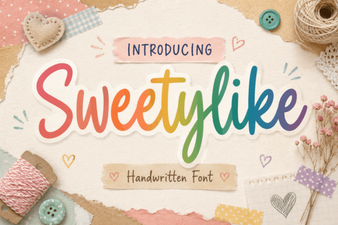 Crafting Sweet Designs with Sweetylike Font