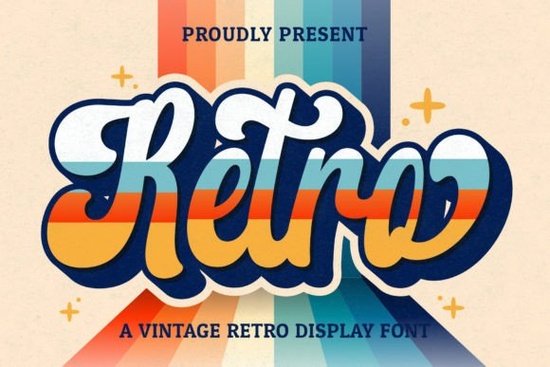
If you’ve been searching for a handwritten font that feels like it stepped out of a 1970s diner or a vintage record sleeve, Retro Script Font might be exactly what your next project needs. It’s got that relaxed, ink-on-paper charm slightly uneven, full of character, and instantly nostalgic. Whether you’re designing logos, wedding invites, social media graphics, or merch for print-on-demand, this font adds personality without trying too hard.
What makes it especially handy is that it’s PUA encoded. That means all the extra glyphs, swashes, and alternate characters are easy to access no digging through hidden menus or installing extra files. Just open your design software, pick a letter, and toggle through stylistic alternates until it feels right.
Who actually uses a font like this?
It’s not just for retro-themed t-shirts (though it’s great for those). Small business owners use it for boutique packaging and café menus. Crafters love it for vinyl decals and handmade greeting cards. Wedding designers drop it into invitation suites for that personal, hand-lettered vibe. Even social media managers working with lifestyle brands find it useful for quote graphics and Instagram stories that need to feel warm and human.
If you’ve tried fonts like Legacy College or College Block for bold, athletic branding but want something softer and more expressive, Retro Script offers a nice contrast. Pair it with a clean sans-serif for balance, or go full vintage by combining it with something like Rodeo Bundle for that western-meets-mid-century look.
How do I know if it’ll work with my software?
Good news if you’re using Adobe apps (Photoshop, Illustrator, InDesign), Affinity, Canva, Silhouette Studio, or even newer tools like Figma or Procreate, you’re covered. The PUA encoding ensures compatibility across most modern platforms. You don’t need special plugins or font managers. Just install it like any other OTF or TTF file, and you’re ready to go.
One thing to keep in mind: because it’s a script, spacing matters. Some letters naturally connect, while others benefit from manual kerning. Don’t be afraid to nudge things around until the flow feels natural. If you’re new to working with scripts, try starting with short phrases names, taglines, or single words before jumping into long paragraphs.
Can I really use it for commercial projects?
Yes. Once you download Retro Script Font, you’re free to use it in client work, products for sale, branding, and marketing materials. No need to credit the designer or ask permission though if you’re feeling generous, a shoutout never hurts.
That said, always double-check the license terms after purchase. Creative Fabrica’s standard commercial license covers most small business and POD use cases, but if you’re planning to embed the font in an app, game, or template for resale, you may need an extended license. Better safe than sorry.
What should I pair it with?
Script fonts can feel overwhelming if overused. A good rule of thumb: let Retro Script be the accent, not the whole outfit. Here are a few combinations that work well:
- With a geometric sans-serif think something like Montserrat or Gotham. Clean lines + flowing script = modern vintage.
- With a slab serif try pairing it with Triple Font for headlines that feel grounded but still playful.
- On its own, in all caps sometimes less is more. Use uppercase letters for short titles or logos where legibility matters.
Avoid pairing it with other scripts or overly decorative fonts. Too many flourishes compete for attention and muddy the message.
Any tips for getting the most out of it?
Absolutely. First, explore the OpenType features. Most design programs have a panel (usually called “Glyphs” or “Stylistic Alternates”) where you can swap out default characters for fancier versions. Try different endings on words sometimes a longer tail or loop makes all the difference.
Second, play with color and texture. This font looks especially good when layered over grainy backgrounds, faded photos, or textured paper. A subtle drop shadow or slight offset can make it pop without looking dated.
Third, don’t forget scale. Retro Script shines at medium to large sizes. Avoid shrinking it down for body text save it for headlines, buttons, or decorative elements where every curve can be appreciated.
If you’re still browsing options, take a look at this collection for similar styles that might suit your mood or project theme.
Quick checklist before you start:
- ✅ Install the font and restart your design app if needed.
- ✅ Check the Glyphs panel for alternates and swashes.
- ✅ Test readability at your intended size.
- ✅ Pair with a simple, neutral font for balance.
- ✅ Save a backup of your project before experimenting with stylistic sets.
Start small. Pick one word. Try three different alternates. See which one feels right. Sometimes the best designs come from playing not planning.
Learn More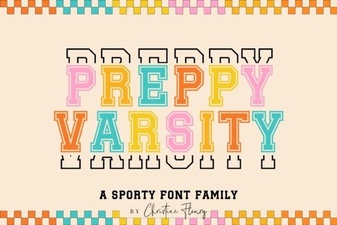 Preppy Varsity Font Ideas for Modern Designs
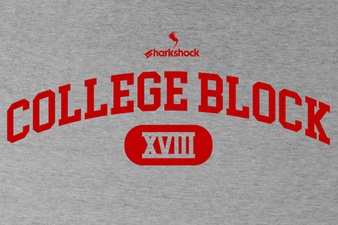 College Block Fonts for Bold Graphic Design
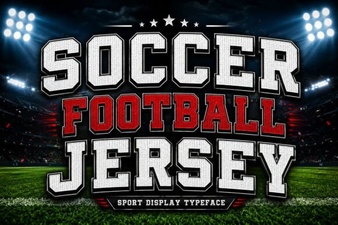 Designing Soccer Jersey Fonts for Your Team
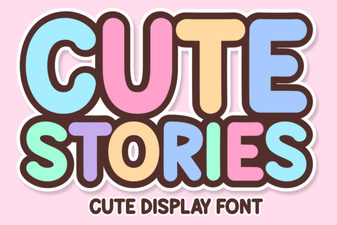 Cute Fonts for Storytelling & Craft Projects
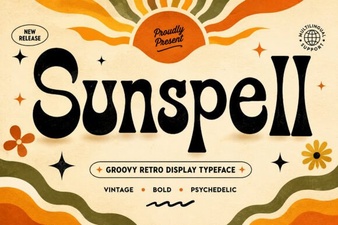 Sunspell Font: Download & Creative Usage Guide
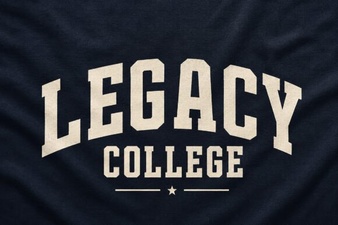 Designing with the Legacy College Font