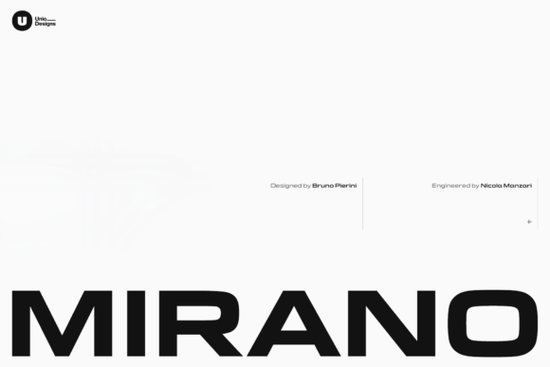
If you’ve been searching for a sans-serif font that feels both mechanical and modern, Mirano Extended Font might be exactly what your next project needs. It’s built with designers in mind whether you’re working on branding, packaging, apparel, or digital interfaces. The clean lines and engineered rhythm make it especially useful for projects that need to feel confident without shouting.
What sets Mirano apart is how it pulls from real automotive heritage specifically the lettering tied to German luxury off-roaders then expands that into something more flexible and contemporary. You’ll find it shares DNA with Eurostile (the classic Aldo Novarese design), but Mirano stretches further. Wider proportions, sharper spacing, and a smoother finish give it room to breathe in headlines while staying legible in smaller sizes. If you like fonts that feel precise but not sterile, this one’s worth a closer look.
Who should use Mirano Extended Font?
It’s ideal if you’re creating:
- Branding materials logos, business cards, signage where clarity and presence matter.
- Apparel or merch designs think hoodies, caps, or stickers where bold sans-serifs pop.
- Print-on-demand products mugs, posters, phone cases where crisp type holds up under different scales.
- Digital interfaces dashboards, apps, or websites needing clean, readable headers.
You don’t need to be designing car-related content to benefit from its tone. The “mechanical premium” vibe works just as well for tech startups, outdoor gear, fitness brands, or even minimalist lifestyle shops. If you’re browsing sans-serifs with an edge, Mirano fits right in.
What’s included in the family?
Mirano comes in weights from Light to Bold, each with matching italics. The italics aren’t just slanted versions they’re redrawn to keep the same compact efficiency but add motion and attitude. That makes them great for subheads, quotes, or anywhere you want to imply speed without losing structure.
OpenType features are fully baked in:
- Ligatures for smoother connections
- Stylistic alternates to tweak letterforms
- Case-sensitive punctuation (so your all-caps titles look polished)
- Positional numerals (lining, old-style, tabular pick what suits your layout)
These aren’t gimmicks. They’re practical tools that let you fine-tune spacing, rhythm, and tone especially helpful when you’re layering text over images or working with tight grids.
How does it compare to other geometric sans-serifs?
Unlike some ultra-minimalist fonts that can feel cold or corporate, Mirano has warmth in its proportions. The extended width gives letters more breathing room, which helps readability at small sizes and adds presence in large formats. If you’ve used fonts like Cloud Sans or other extended families, you’ll notice Mirano holds its own without feeling derivative.
It doesn’t scream “retro” even though it borrows from vintage sources. Instead, it translates those cues into something current. That balance is rare. Many fonts either lean too hard into nostalgia or strip away personality in pursuit of neutrality. Mirano sits comfortably in between.
Any tips for using it effectively?
Here’s what works well in practice:
- Pair it with simple serif fonts try pairing Mirano Bold with a thin serif for contrast that still feels cohesive.
- Use stylistic sets for subtle variation swap in alternate ‘a’ or ‘g’ glyphs to break monotony in long headlines.
- Stick to medium or bold weights for merch lighter weights can vanish on textured fabrics or busy backgrounds.
- Let the italics drive momentum they’re perfect for callouts, captions, or directional text (“Swipe,” “Next,” “Explore”).
Also, don’t overlook the numerals. If you’re designing price tags, stats, or infographics, switching to tabular lining figures keeps columns aligned and data readable.
Where can I see it in action?
Check out user galleries or mockup previews on Creative Fabrica seeing it applied to real-world items (like tote bags, posters, or app screens) helps gauge how it performs across contexts. Designers often pair it with monochrome palettes or metallic gradients to amplify its premium-engineered feel.
If you’re exploring modern cloud-based sans-serifs or fonts with rugged character, Mirano slots neatly into both categories without forcing a theme.
Quick checklist before you download:
- ✅ Confirm you need an extended-width sans-serif (not condensed or narrow)
- ✅ Check if OpenType features matter for your software (most Adobe apps and newer design tools support them)
- ✅ Preview the weights Light might be too delicate for embroidery; Bold shines on posters
- ✅ Consider licensing personal vs. commercial use, especially if selling print-on-demand items
Start by testing one weight in a headline or logo mockup. See how it feels against your brand colors or product photos. Sometimes the best way to know if a font “clicks” is to drop it into your workflow and live with it for a day.
Download Now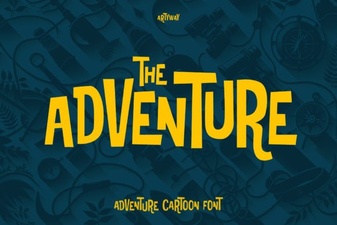 Best Adventure Fonts for Creative Projects
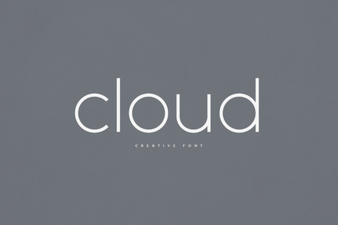 Open Source Fonts for Modern Web Design
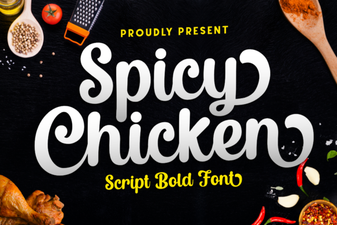 Spicy Chicken Font for Bold Design Projects
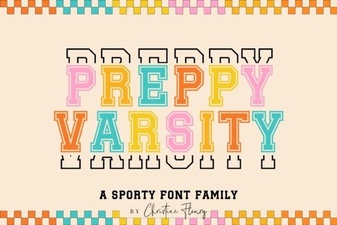 Preppy Varsity Font Ideas for Modern Designs
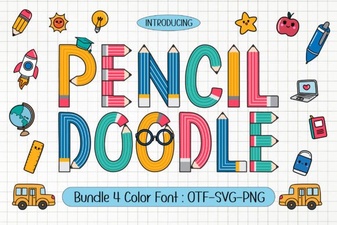 Unlock Creativity with a Pencil Doodle Font
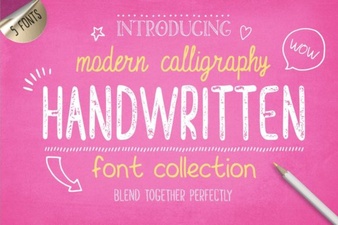 Handwriting Fonts for Creative Projects