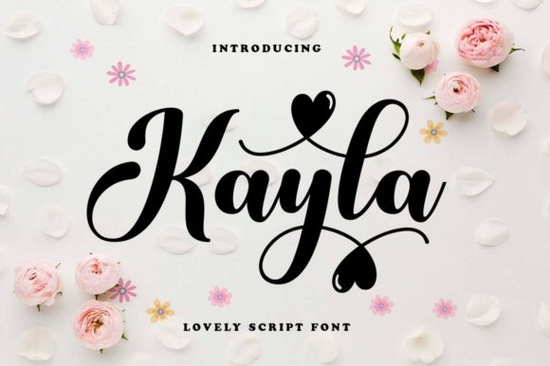
If you’ve been searching for a handwritten font that feels personal, warm, and just a little playful, Kayla Font might be exactly what your next project needs. It’s not overly ornate or stiff instead, it carries the kind of friendly, rounded charm that works whether you’re designing greeting cards, branding materials, or printable wall art. The letters feel like they were just scribbled with care by hand, which makes them perfect for projects meant to feel heartfelt.
One thing that stands out right away is how flexible Kayla is. You can use it for quotes on mugs, labels for homemade jams, wedding invites, or even social media graphics it adapts without losing its character. And because it’s PUA encoded, all those lovely swashes and alternate glyphs are easy to access in programs like Adobe Illustrator, Photoshop, or even Canva (with a little setup). No digging through symbol menus or installing extra files.
Who is this font best suited for?
If you run a small Etsy shop selling printable planners or custom stickers, Kayla adds that handmade touch buyers love. Crafters working on scrapbooks or vinyl decals will appreciate how naturally it pairs with floral elements or soft watercolor backgrounds. Print-on-demand sellers can layer it over neutral tees or tote bags for a cozy, boutique-style message. Even small business owners updating their Instagram stories or packaging inserts will find it inviting and readable at smaller sizes.
It’s worth comparing it to other script fonts you might already know. For example, if you’ve used This Mate, you’ll notice Kayla has softer curves and less bounce making it calmer for longer phrases. If you usually reach for Montserrat for clean sans-serif work, Kayla offers the emotional contrast you need when you want something more personal. And while Locked Whisper leans dramatic and elegant, Kayla keeps things light and approachable.
What makes the PUA encoding actually useful?
PUA or Private Use Area encoding means every special character, ligature, and swash is mapped to a specific slot in the font file. That might sound technical, but in practice, it just means you don’t need plugins or complicated workflows to make your text look beautiful. In design software, you can simply type, then switch to the glyph panel to browse alternates. Many users pair it with Jaglend for contrast using Jaglend for headers and Kayla for body text or captions creates a balanced, stylish combo.
- Swashes – Extend gracefully from certain letters to add flair without crowding.
- Alternates – Swap out standard letters for slightly different shapes to avoid repetition.
- Ligatures – Automatically connect common letter pairs for smoother flow.
You don’t have to use all these features Kayla still looks great plain. But having them available gives you room to grow as a designer or to add polish when a client asks for “something extra special.”
How does it perform in real-world use?
At medium to large sizes, Kayla shines. Think posters, signs, book covers, or product packaging. At very small point sizes (below 10pt), some of the finer details may blur, so it’s best reserved for display rather than dense paragraphs. That said, short quotes, logos, or accent text remain crisp and legible.
Color-wise, it plays well with almost anything. Try pairing it with muted pastels for baby announcements, deep jewel tones for holiday cards, or black on cream for a timeless journal cover. Because the strokes are consistent and rounded, it doesn’t fight with busy backgrounds a big plus if you’re layering over patterns or photos.
A few quick pairing ideas:
- Kayla + a clean sans-serif like Montserrat for modern contrast.
- Kayla + watercolor brushes for dreamy, artsy compositions.
- Kayla alone centered on a blank background sometimes simplicity speaks loudest.
If you’re new to Creative Fabrica, you’ll find Kayla included in many of their subscription bundles, which also give you access to thousands of other fonts, graphics, and templates. That’s helpful if you like to experiment maybe after trying Kayla, you’ll want to explore Locked Whisper for moodier projects or Jaglend for bold headlines.
Ready to try it? Here’s what to do next.
- Download and install Kayla Font from your Creative Fabrica account.
- Open your favorite design tool and create a text box.
- Type a sample phrase maybe your name or a favorite quote.
- Open the glyph panel (usually under “Type” or “Window”) and browse the alternates.
- Swap in a swash or two, adjust spacing slightly, and see how it transforms.
Don’t overthink it. Sometimes the best designs come from playing around for ten minutes. Kayla’s charm is in its ease it doesn’t demand perfection, just a little creativity.
Download Now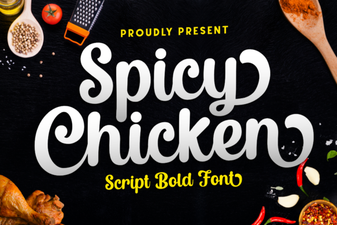 Spicy Chicken Font for Bold Design Projects
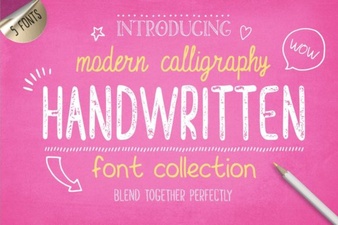 Handwriting Fonts for Creative Projects
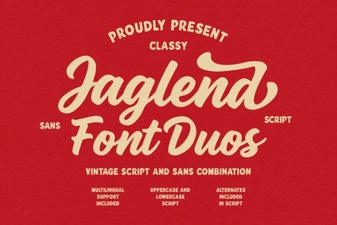 Jaglend Duo: Versatile Fonts for Creative Projects
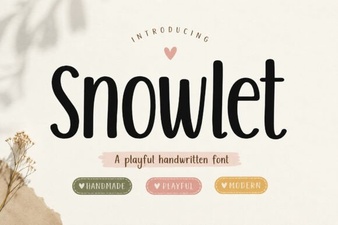 Snowlet Font: Creative Designs for Modern Projects
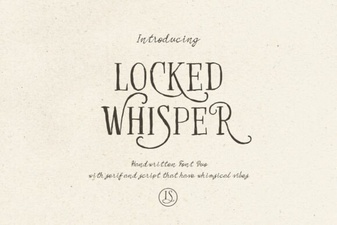 Locked Whisper Font: Creative Typography Ideas
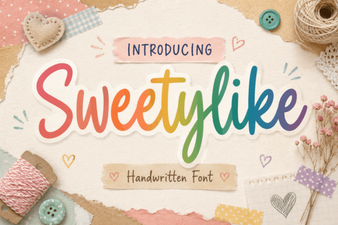 Crafting Sweet Designs with Sweetylike Font